I allocated a full week for technical spikes. Crystal shader, Voronoi fracture, physics performance, procedural formations. Four unknowns that could each individually kill the project if they didn't work.
They all worked. In about a quarter of the budgeted time.
That outcome is either a validation of thorough pre-production or a sign that I'm not asking hard enough questions. I'm choosing to believe the first one, but I'm keeping the Visual Target Build spike (the integration test that combines everything) as the honest gate before calling it.
Spike 1: Crystal Shader (~2 hours of 4)
The question: can I get a premium glass/crystal look in URP 2D that runs at 60fps on iPhone 12?
The answer required a decision first. Shader Graph is the "correct" Unity approach for 2D shaders. It's visual, it's node-based, it's what the tutorials recommend. I skipped it and wrote custom HLSL instead.
The reasoning was simple. I needed five specific visual layers: UV-edge Fresnel glow, animated noise inner light, dual-octave facet patterns, core brightness gradient, and a hit flash overlay. Shader Graph can do all of these, but wiring five effects through a node graph when you already know the math is like building IKEA furniture when you have a woodshop. More steps, less control, same result.
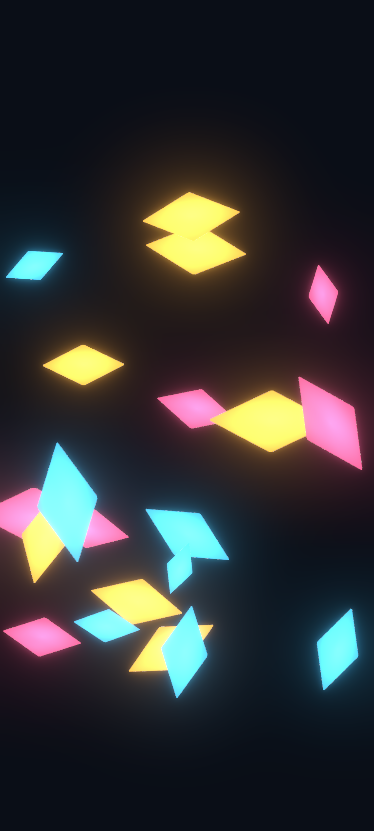
That's 20 placeholder diamonds running the crystal shader with URP Bloom. Even with programmer art sprites, the Fresnel edges and bloom interaction produce something that reads as luminous and expensive. The void background (pure #0A0E17) makes the crystals the sole light source in the scene, which is the entire aesthetic bet for Glyntfall.
A few things I tuned during the session:
| Parameter | First Pass | Final Value | Why |
|---|---|---|---|
| Fresnel Width | 0.15 | 0.08 | First pass was barely visible. Tighter width reads as a crisp rim light. |
| Fresnel Intensity | 1.0 | 4.0 | Needed to punch through bloom threshold. |
| Emission Intensity | 1.0 | 0.7 | Smaller crystals were washing out at 1.0. |
| Bloom Threshold | 0.8 | 1.0 | Lower threshold caused the dark background to glow. 1.0 isolates just the crystals. |
The gem-tinted Fresnel was a happy accident. Pure white rim light looked clinical. Blending the crystal's base color into the rim (60% white, 40% crystal color) produces a natural gemstone edge. Cyan crystals get a cyan-white rim. Magenta gets magenta-white. It's a small detail that makes the whole thing feel cohesive instead of "shader effect applied to sprite."
MaterialPropertyBlock handles per-crystal color tinting with zero material allocation. One shared material, per-instance colors. That matters when you're shattering crystals into fragments that each need to inherit the parent's color.
Verdict: Validated. On-device profiling deferred to when everything runs together.
Spike 2: Voronoi Fracture (~1.5 hours of 8)
The question: can I shatter 2D crystals into Voronoi fragments that look satisfying, run at 60fps, and don't blow the physics budget?
I gave this a full day because I expected to need it. The original architecture spec called for pre-computed fracture patterns (generate the Voronoi cells offline, store them, load at runtime). That's the safe approach. It's also more complex: you need pattern storage, pattern selection logic, and a loading pipeline.
The spike killed that entire subsystem in 90 minutes.
Runtime Voronoi generation takes 0.36ms for 8 fragments. That includes the full pipeline: seed point generation, Sutherland-Hodgman polygon clipping against perpendicular bisectors, mesh building with mapped UVs, and PolygonCollider2D extraction. 0.36ms is fast enough to just compute at shatter time. No pre-computation needed. No pattern storage. No loading pipeline.
The architecture got simpler because the performance was better than expected.
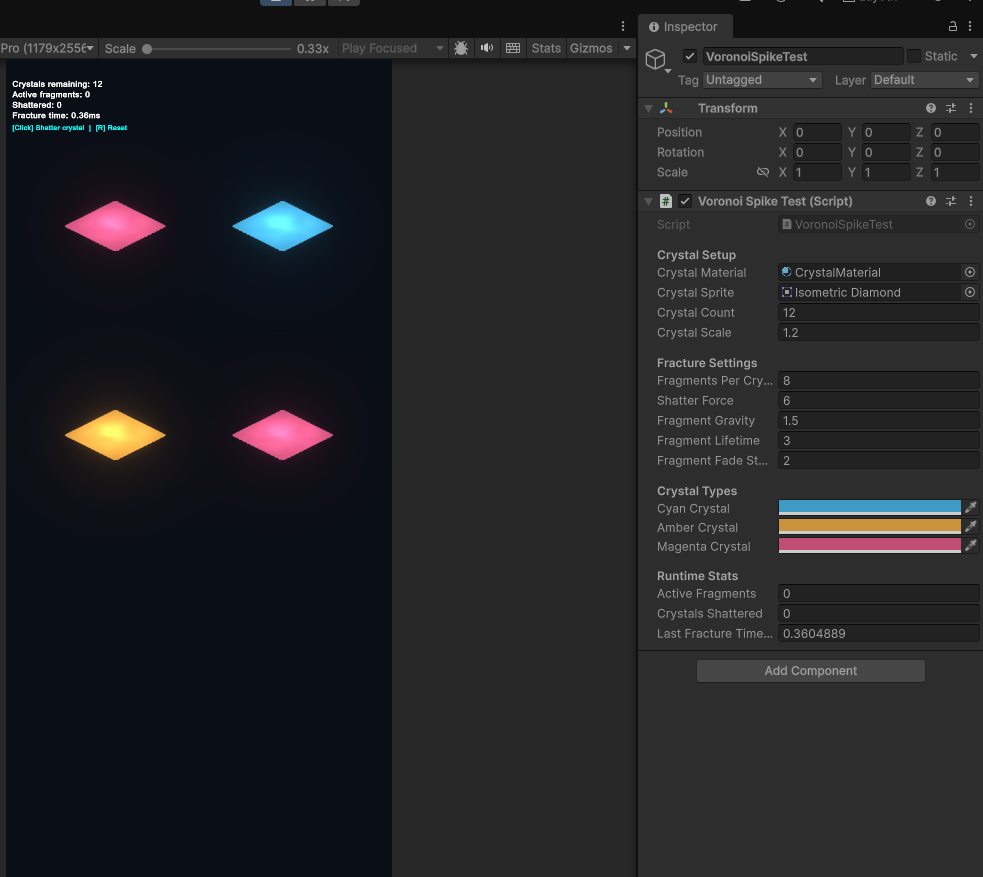
Each crystal shatters into 8 jagged fragments that inherit the parent's shader and color via MaterialPropertyBlock. The visual continuity is seamless. No pop, no color shift, no material swap visible to the player. One frame it's a crystal, the next frame it's 8 glowing fragments flying outward with physics.
The physics feel was the subjective part. Outward force from impact point plus gravity plus torque. The fragments need to feel weighty, not floaty. An upward bias on the initial force direction helps. The fragments arc upward briefly before gravity pulls them down, which reads as a satisfying burst rather than an explosion.
Fragments fade alpha over 1 second starting at the 2-second mark. Gone by 3 seconds. Clean despawn with no visual pop.
Verdict: Validated. Pre-computation approach deleted from the architecture. Runtime generation is the plan.
Spike 3: Physics Performance (~1 hour of 4)
The question: can Unity 2D physics handle 100+ simultaneous Rigidbody2D at 60fps on iPhone 12?
This is the one that could have gated everything. Crystal fragments are Rigidbody2D with PolygonCollider2D. Orbs are Rigidbody2D with CircleCollider2D. At peak chaos (multiple simultaneous shatters, orbs bouncing, fragments flying), the scene could have 60-80 physics bodies active. If the physics engine choked at that count, the game concept doesn't work.
The stress test spawned 100 bodies with the crystal shader active, then added 25 more per keypress. Gravity, random forces, torque, wall boundaries, fragment-to-fragment collisions enabled. Real rendering cost, real collision cost.
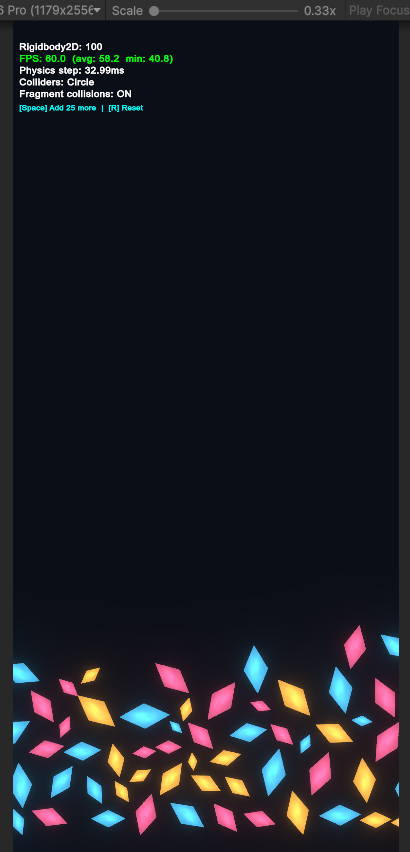
100 bodies was trivial. I kept pressing Space.
| Body Count | Collider Type | FPS | Notes |
|---|---|---|---|
| 100 | Polygon (6v) | 60 | Trivial |
| 500 | Polygon (6v) | 60 | Still trivial |
| 1050 | Polygon (6v) | 58.7 avg | First hint of load |
| 1450 | Polygon (6v) | 5.1 | Hard cliff |
| 2600 | Circle | 60 | Circles are cheaper |
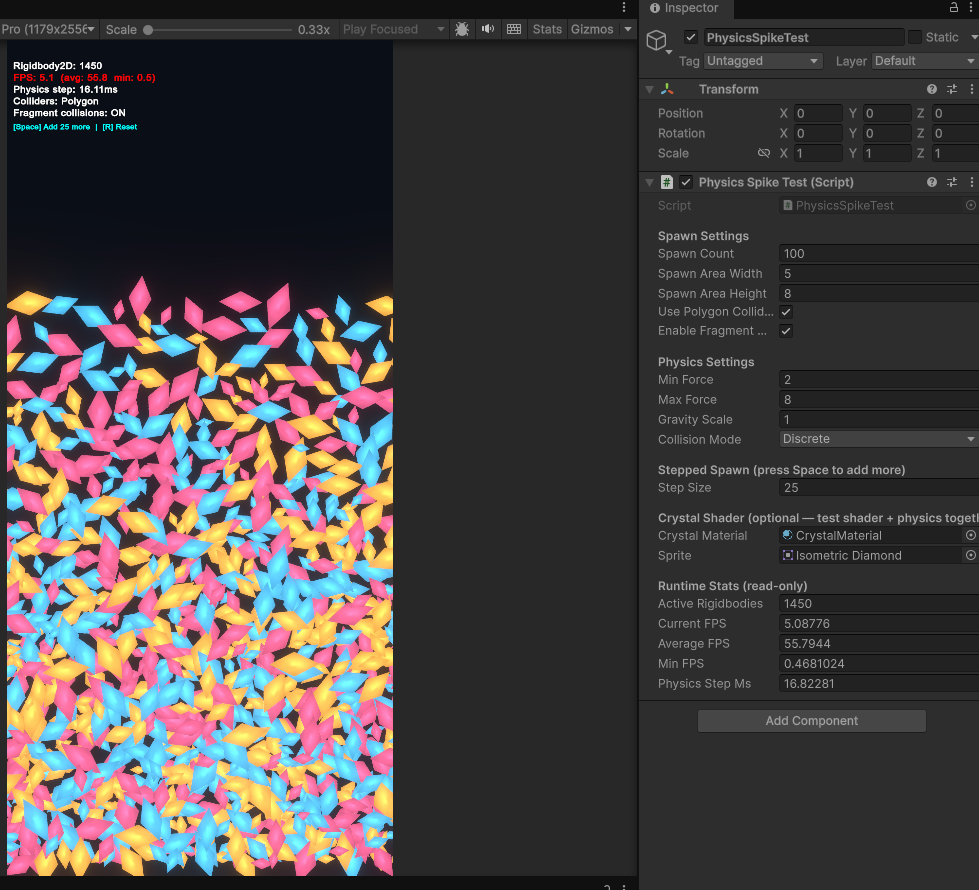
1450 polygon bodies before the cliff. Our budget is 100. That's 10x headroom in the Editor, and even with a conservative 3x editor-to-device penalty, we're looking at 350+ bodies on an iPhone 12. Our peak gameplay scenario needs maybe 80.
The practical takeaway: PolygonCollider2D with 6 vertices is fine for fragments. No need for circle approximations, no need for collision layer tricks, no need to disable fragment-to-fragment collisions. The physics budget is not a constraint on game design.
Verdict: Validated. Risk #1 (physics can't handle peak load) eliminated.
Spike 4: Procedural Formations (~1 hour)
This one was originally skipped during pre-production planning. The concept phase identified procedural crystal formations as a nice-to-have, not a must-validate. But after the other three spikes finished so fast, I had the time budget to investigate.
The question: can I generate varied, visually interesting crystal formations from just a wave number?
FormationBuilder uses six layout strategies (Cluster, Spread, Wall, Chevron, Diamond, Random) selected by wave progression. Wave 1 gets 3-4 standard crystals in simple layouts. Wave 10 introduces the third crystal type with 11 crystals in complex formations. Wave 20 fills the screen.
The scaling feels natural:
| Wave Range | Crystals | Types Available | Layouts |
|---|---|---|---|
| 1-2 | 3-5 | Standard only | Cluster, Spread |
| 3-6 | 5-8 | Standard + Dense | + Wall, Chevron |
| 7-9 | 8-11 | Standard + Dense | All 6 |
| 10-15 | 11-15 | All 3 types | All 6 |
| 16-20 | 15-20 | All 3 types | All 6 |
Deterministic seeding means the same wave number with the same seed always produces the same formation. Different seeds produce different layouts. Useful for replays, useful for debugging, and it means I never need hand-authored level data.
The one bug caught during development: Wall layouts weren't clamping Y positions, so multi-row walls could push crystals below the play area. The AllCrystals_WithinPlayArea test caught it immediately. 45 Edit Mode tests all passing.
Verdict: Validated. FormationBuilder is production-ready. No hand-authored formations needed.
The Scorecard
| Spike | Time Box | Time Used | Result |
|---|---|---|---|
| Crystal Shader | 4 hours | ~2 hours | Validated |
| Voronoi Fracture | 8 hours | ~1.5 hours | Validated |
| Physics Performance | 4 hours | ~1 hour | Validated |
| Procedural Formations | 4 hours | ~1 hour | Validated |
| Visual Target Build | 8 hours | Not started | Pending |
Four for four. ~6 hours used out of ~20 budgeted (not counting the integration spike). Every spike simplified the architecture rather than complicating it. The pre-computed fracture patterns got deleted. The collision layer optimization got deleted. The Asset Store shader purchase got deleted.
Why I'm Not Calling It Yet
The Visual Target Build is the honest test. Individual systems working in isolation proves the parts are viable. It doesn't prove they compose into something that feels good.
That spike is the gate. Tap to fire orbs. Orbs hit crystals. Crystals shatter with full effects (bloom spike, screen shake, particles, hitstop). Someone watching over your shoulder should say "that looks cool." If the combined juice stack tanks performance or the effects feel like separate layers bolted together instead of a unified experience, the concept needs rethinking.
The four completed spikes say the building blocks are solid. The Visual Target Build will say whether they make a game worth building.
What the Spikes Actually Produced
Beyond validation, the spikes generated production code:
- CrystalShader.shader: Custom HLSL with five visual layers. Production-ready.
- VoronoiFracture.cs: Pure math Voronoi generation. No MonoBehaviour dependency. Production-ready.
- FragmentMeshBuilder.cs: Mesh and collider builder from Voronoi cells. Production-ready.
- FormationBuilder.cs: Six layout strategies with wave scaling. Production-ready with 45 tests.
Four production-ready components from what was supposed to be throwaway spike code. The time boxes forced focused implementation, and the focused implementation produced clean, single-responsibility code. I'll take it.