After Sprint 3, Fizzics was a game you could play. Blobs merged, chains cascaded, haptics thumped. But if I squinted at the screen, it looked like a programmer's prototype. White particles. System font. A beaker made of debug lines. The kind of thing where you say "just imagine it looks good" while demoing it.
Sprint 4 is about stopping the imagining. Making it actually look good.
First Device Build
Before touching art, I needed to know the game actually runs on a phone. I wrote an editor script (iOSBuildSetup.cs) that configures all iOS Player Settings programmatically: portrait only, Metal, IL2CPP, ARM64, iOS 18.0 minimum. Hit build, deployed to an iPhone Air.
60fps. Metaball shader, physics, gameplay loop. All of it, first try. The technical spike from Pre-Production paid off again. I'd already proven the shader on device months ago, so this was a formality. But formalities that confirm your architecture wasn't built on wishful thinking are still worth celebrating. Quietly, with a Diet Mountain Dew.
The VFX Problem
Here's what explosions looked like going into Sprint 4: a puff of white dots that vanished in a quarter second. Technically correct. A detonation did produce particles. But it felt like someone sneezing, not like a chemical reaction.
The whole bet with Fizzics is that it looks spectacular. A puzzle game where the visual feedback IS the reward. If the explosions don't make you go "ooh," the game doesn't work. Not in a "nice to have" way. In a "this is the core value loop" way.
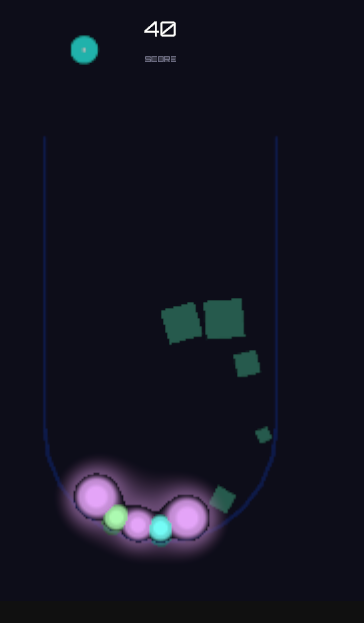
5-Layer Compound Explosions
Single-layer particle effects never look impressive. I rewrote the VFX system from scratch into a compound explosion with five distinct layers:
| Layer | What it does | Why it matters |
|---|---|---|
| Core Flash | Big bright circle, gone in 0.12s | The instant "boom" moment |
| Particle Burst | 40-60 particles, upward-biased cone | Main spectacle, erupts FROM the beaker |
| Spark Trails | 20-30 tiny stretched particles | Fizzy energy, like sparks off a reaction |
| Rising Smoke | 8-12 soft alpha particles | Chemistry aftermath, drifts upward |
| Lingering Glow | 3-5 large slow-fade circles | Atmosphere that hangs in the air |
Each layer gets its own material. NeonParticle uses additive blending so it glows against the dark background. NeonSmoke uses alpha blending for softer gas wisps. Both built on URP Particles/Unlit. Chain reactions escalate everything: more particles, higher intensity, each link building on the last.
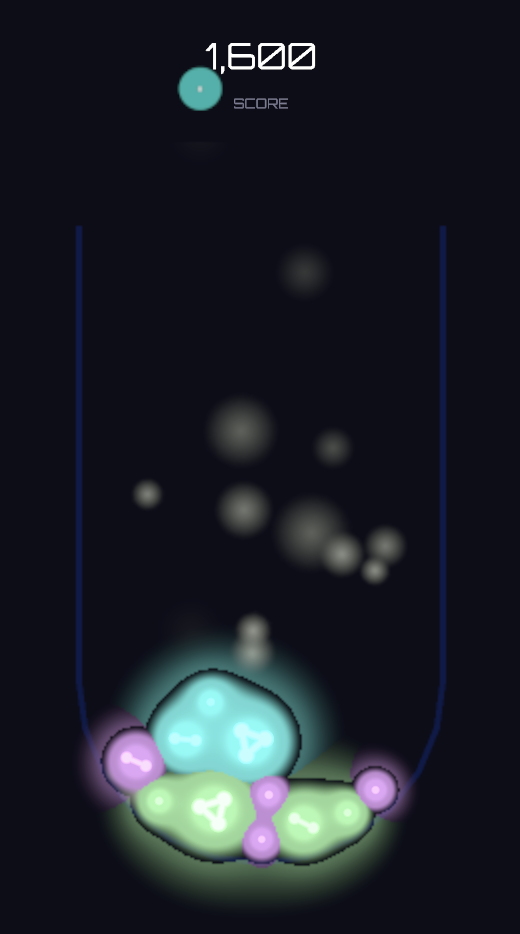
The difference between one layer and five layers was the difference between "it works" and "something just happened in there." Each layer serves a purpose. The flash gives you the hit. The sparks give you the energy. The smoke gives you the aftermath. Layer them together and the explosion tells a tiny story in half a second.
Still a lot of iteration ahead on the tuning. The screenshots show where I am, not where I'm going. But the architecture is right, and that's the part that's hard to change later.
SDF Tier Indicators
Every blob in Fizzics has a size tier (Droplet through Volatile), but until Sprint 4 they all looked the same except for size. I built a custom HLSL shader (TierIndicator2D.shader) that renders SDF molecular structures inside each blob:
- Droplet: Single circle (atom)
- Globule: Two bonded circles (molecule)
- Mass: Triangle formation
- Cluster: Diamond lattice
- Volatile: Orbital rings pulsing with instability
The shader reads tier and blend data from MetaballRegistry via a URP render pass. Each blob gets a random phase offset so the rotation feels organic, not synchronized. And per-tier instability shake increases as blobs get more volatile: subtle wobble at Droplet, visible tremor at Volatile. The player can read danger at a glance.
Neon UI
The programmer art UI (white text, no panels, no menus) got a complete overhaul. I grabbed Orbitron and Oxanium from Google Fonts. Generated TextMeshPro SDF atlases. Purchased the GUI-Neon sprite pack ($9.99) for panel backgrounds and button styles.
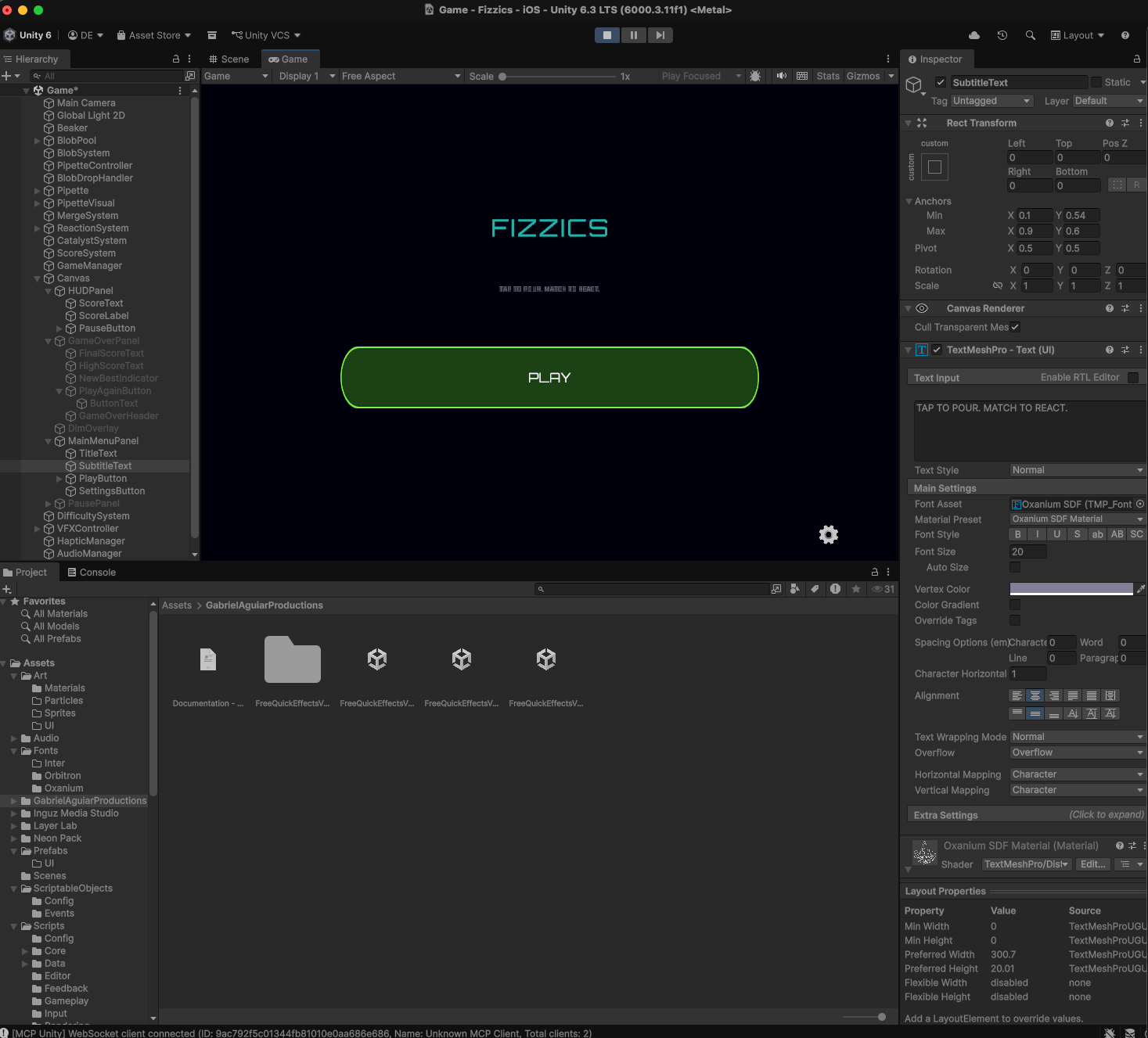
New screens: main menu with a big PLAY button, pause panel with sound/haptic toggles, restyled game over popup. Updated the GameManager state machine to handle MainMenu and Paused states. Small thing that bit me: I forgot to add an EventSystem to the scene. Unity buttons don't click without one. Spent ten minutes wondering why my beautiful neon button was ignoring me before remembering that particular gotcha.
Beaker Fog Architecture
Playtesting surfaced something I hadn't considered: the beaker felt empty between reactions. Blobs sit there. Nothing moves. Then an explosion happens and it's exciting for half a second and then... nothing again. The beaker needed atmosphere.
The solution: fog that accumulates inside the beaker over the course of gameplay. Each detonation adds colored gas. The fog level rises, swirls, and eventually spills over the rim like dry ice. Dual purpose: it looks like a chemistry experiment gone slightly wrong, and it signals rising tension.
The architecture uses a SpriteMask for containment. A white silhouette of the beaker interior masks the fog particles so they're only visible inside. When fog level exceeds 0.6, a second unmasked particle system activates for the spillover effect. The SpriteMask approach costs zero CPU because it's a GPU stencil operation. The alternatives (Trigger Module with 3D colliders, manual particle clamping) were both per-particle-per-frame CPU work. On mobile, that matters.
The fog system is designed but not fully tuned yet. Like the explosions, the architecture is in place. The iteration continues.
Beaker Art Pivot
The beaker itself was still a LineRenderer outline. I tried generating a procedural sprite first: glass body, graduation marks, rim highlight. It looked like clip art. Functional, soulless.
So I pivoted to AI-generated art. Created a handful of concepts in DALL-E, picked the one that nailed the vibe (neon glass beaker on a tripod stand), and wrote a BeakerVisualController to display the sprite with reactive tinting. The beaker glows warmer at warning threshold, shifts red at critical. Alignment still needs fine-tuning, but the visual improvement over debug lines was immediate and dramatic.
Where It Stands
Sprint 4 covered more ground than the previous three sprints combined, and I'm still mid-iteration on most of it. The VFX are architecturally sound but need tuning passes. The fog accumulates but the wisps need softening. The beaker sprite needs alignment work. The tier indicators render but the glow parameters want tweaking.
That's fine. That's how visual work goes. You build the systems first, then you iterate on the feel. The important thing is that the systems are built for iteration: every VFX parameter lives in a ScriptableObject config, every shader parameter is exposed, every particle setting is tunable in the Inspector without touching code.
The 205 tests from Sprint 3 still pass. No gameplay logic changed this sprint, just how it looks. The game went from "you have to imagine it" to "you can see it." Not finished. But real.
Open items for Sprint 5:
- Audio hookup (SFX exist in AudioManager, not wired to events)
- VFX tuning pass (fog wisps, smoke softness, explosion intensity)
- Beaker sprite alignment (centering, scale, brightness)
- Game Center leaderboards
- Ad integration